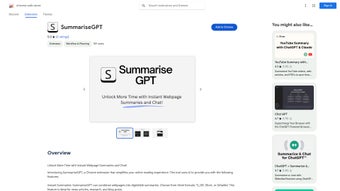

Download SummariseGPT – Fast Chrome Extension for Instant Web Summaries
Overview
SummariseGPT is a cutting‑edge Chrome extension that brings the power of GPT‑based language models directly into your browser. Designed for busy professionals, students, and casual readers, the tool instantly generates concise TL;DR, short, or detailed summaries of any webpage you visit. Whether you’re scanning the latest headlines, conducting deep‑dive research, or browsing long‑form blogs, SummariseGPT lets you capture the essence of content in seconds, freeing up valuable time for higher‑order tasks.
Beyond summarization, the extension includes an interactive chat window that lets you ask follow‑up questions about the page’s material, retrieve definitions, or request examples—all without leaving the site. The result is a smoother, more productive browsing experience that reduces information overload while preserving comprehension. SummariseGPT operates securely within Chrome’s sandbox, requires no external accounts, and updates automatically to stay aligned with the latest OpenAI models.
In short, it transforms the way you consume web content, turning endless scrolling into focused insight.
Key Features and Benefits
- Multiple Summary Formats: Choose between TL;DR (one‑sentence), Short (3‑5 sentences), or Detailed (paragraph‑level) summaries.
- AI‑Powered Accuracy: Powered by the latest GPT engine, the tool understands context, tone, and nuance for reliable condensation.
- Interactive Chat: Pose follow‑up questions, request clarifications, or ask for related examples directly within the extension.
- One‑Click Activation: Summaries appear with a single click on the toolbar icon, overlaying the page without navigation.
- Customizable Settings: Adjust summary length, language, and whether to include citations or source links.
- Privacy‑First Design: All processing occurs locally or via encrypted API calls; no browsing data is stored on external servers.
- Seamless Integration: Works on any website—news portals, academic journals, forums, or e‑commerce pages.
- Automatic Updates: Receives regular model improvements and security patches via Chrome Web Store.
These features combine to create a tool that not only reduces reading time but also deepens comprehension. For researchers, the chat function can extract key methodologies or data points from dense papers. For marketers, TL;DR summaries give a quick pulse on competitor blogs. Students can generate study notes on the fly, while casual readers get the gist of a long‑form article without the fatigue of scrolling. By offering both breadth (multiple summary styles) and depth (interactive Q&A), SummariseGPT adapts to a wide range of browsing scenarios, making it a versatile addition to any productivity toolkit.
Installation, Usage & Compatibility
Installing SummariseGPT is straightforward. Visit the Chrome Web Store, locate the SummariseGPT extension, and click “Add to Chrome.” The browser will prompt you to confirm the required permissions—primarily access to read page content and display overlays. After acceptance, the extension icon appears next to the address bar. First‑time users are greeted with a brief onboarding wizard that explains the three summary modes and demonstrates how to open the interactive chat window.
Using the tool is equally simple. While browsing any page, click the SummariseGPT icon. A small panel slides out, offering a dropdown to select your preferred summary length. Press “Generate,” and within seconds the AI produces a concise version of the page’s main text. If you need more detail, switch the mode or ask a follow‑up question in the chat box, such as “What are the main arguments?” or “Can you explain the third paragraph in plain language?” The answer appears instantly, letting you stay on the same page.
Compatibility: SummariseGPT is built exclusively for the Google Chrome browser on desktop operating systems, including Windows 10/11, macOS Monterey and later, and Linux distributions that support Chrome. The extension also functions in Chromium‑based browsers such as Microsoft Edge and Brave, provided they allow Chrome extensions. Mobile Chrome does not support this extension yet, but a companion web app is planned for future releases. System requirements are minimal—any modern computer with at least 2 GB RAM and an internet connection can run the extension smoothly. Updates are delivered automatically through the Chrome Web Store, ensuring you always have the latest AI model and security patches without manual intervention.
Pros, Cons, Frequently Asked Questions & Final Thoughts
Pros
- Instant, high‑quality summaries save time.
- Interactive chat adds a layer of deep understanding.
- Privacy‑focused architecture with encrypted API calls.
- Customizable settings adapt to diverse user needs.
- Free to use with optional premium upgrades for faster processing.
Cons
- Requires an active internet connection for AI processing.
- Limited to Chrome and Chromium‑based browsers (no native mobile support yet).
- Premium tier needed for bulk summarization on very large documents.
FAQ
Is SummariseGPT free?
Yes, the core summarization and chat features are free. A premium plan is available for faster response times, higher usage limits, and priority support.
How does SummariseGPT handle my privacy?
All page content is sent over an encrypted connection to the GPT API. SummariseGPT does not store or sell your browsing data. You can delete your usage history at any time from the settings menu.
Can I use SummariseGPT on PDFs or only HTML pages?
The extension works best with standard web pages. For PDFs opened in Chrome, SummariseGPT can still read the text layer, but complex layouts may affect accuracy.
What languages are supported?
SummariseGPT supports all major languages that the underlying GPT model can process, including English, Spanish, French, German, Chinese, and more. The interface language defaults to the browser’s language setting.
How often is the extension updated?
Updates are released monthly, with occasional emergency patches for security or API changes. The Chrome Web Store handles updates automatically.
Conclusion & Call to Action
SummariseGPT delivers on its promise to streamline web browsing by turning lengthy articles into bite‑sized insights in real time. Its blend of quick summaries, AI‑driven chat, and privacy‑first design makes it a standout tool for anyone looking to cut through information overload. While the need for an internet connection and the current desktop‑only limitation are minor drawbacks, the free tier already offers substantial productivity gains. If you spend a significant portion of your day reading online—whether for work, study, or personal interest—installing SummariseGPT is a low‑effort, high‑reward decision. Click the “Add to Chrome” button now, configure your preferred summary style, and start reclaiming hours of reading time today.



.png)



